Remove Captions from Video Online Free
Upload Your Video
Drag and drop or click to select your video file
Drop your video here
or click to browse files
Use our free AI caption remover to remove captions from video online — no login needed. Erase hardcoded captions, closed captions, and TikTok auto-captions without blur while keeping original quality.
Trusted by Millions
The go-to free video caption remover for creators worldwide
Total Users
Files Processed
Processing Seconds
Why Use Our AI Caption Remover?
The fastest way to remove captions from video online for free — no software download
Hardcoded Captions vs. Soft Subtitles: Which Do You Have?
Know your caption type before you remove captions from video — the method differs for each.
When Do You Need a Video Caption Remover?
Common scenarios where removing captions from video saves time and improves content.
Social Media Repurposing
Strip TikTok or Instagram auto-captions before reposting to YouTube, LinkedIn, or other platforms.
Language Localization
Remove hardcoded foreign captions and add fresh translations for each target market.
Content Restoration
Clean up archived footage by removing burned-in closed captions, timecodes, or date stamps.
Learning & Education
Create listening exercises by removing captions from educational videos or film clips.
How to Remove Captions from Video in 3 Steps
Upload Your Video
Drag and drop MP4, MOV, AVI, MKV, or WebM into the upload area — no login needed.
Mark the Caption Area
Use the brush or box tool to highlight hardcoded captions, closed captions, or open captions you want the AI to erase.
Download Caption-Free Video
Click Remove and preview the result. Download your clean video with captions removed — no blur, no watermark.
Related Video Editing Tools
More free AI tools to clean up your video content.
Remove Text from Video
Erase text overlays, dates, timestamps, and TikTok stickers from any video file.
Remove Watermark from Video
Automatically detect and remove watermarks, logos, and text overlays from any video file.
Remove Subtitle from Video
Dedicated AI subtitle remover for hardcoded subtitles and open captions — no blur.
How to Remove Captions from Video with AI
Our AI inpainting engine removes hardcoded captions and closed captions without blur — restoring the original background behind the text.
Unlike basic blur tools, our video caption remover analyzes adjacent frames to fill in erased areas naturally, so your export looks untouched.
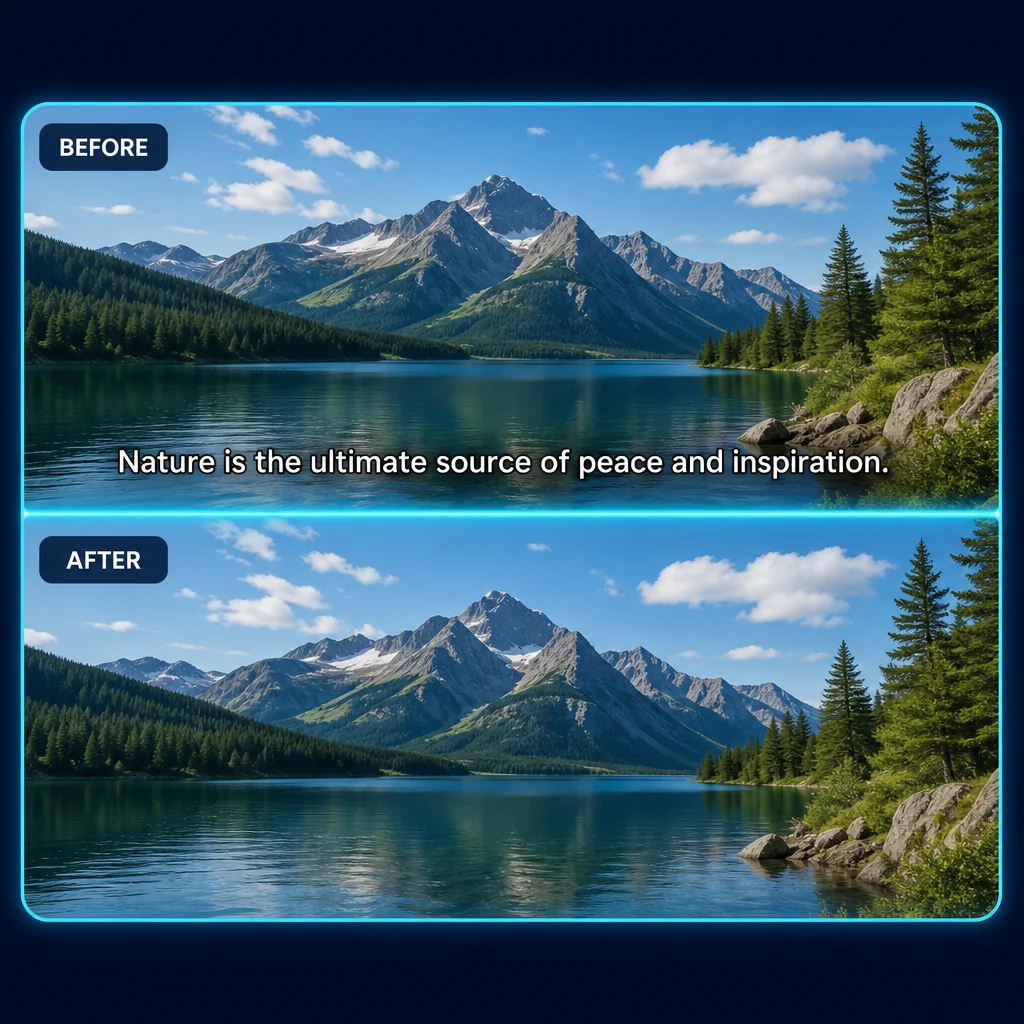
Fast Cloud Processing
Get your clean file in minutes. GPU-powered processing makes this the fastest free caption remover online.
Smart Caption Detection
Accurately identifies caption regions — including closed captions, open captions, timecodes, and burned-in text.
What Users Say About Our Caption Remover
Join thousands who use our free AI tool to remove captions from video every day.
Remove Captions from Video Online Free
Free AI caption remover — erase hardcoded and closed captions without blur. No login required.
FAQs: Remove Captions from Video
Answers to common questions about our free AI video caption remover
Have more questions? Contact us at support@removetextfromvideo.online